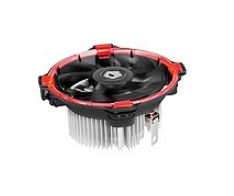
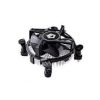
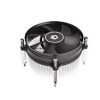
🚀 **Is your CPU overheating? It's time for an upgrade!** 🚀 Introducing the **Intel CPU Cooler DK-15** from ID-COOLING – the perfect solution for efficient, quiet, and easy-to-install cooling. At Braumers, we bring you the best spare parts and technological solutions for your computer. Don't compromise on performance – let your CPU breathe! For any questions, advice, or orders, don't hesitate to contact us: 037281198.
⚡ Product Benefits – Why the DK-15 is Your Best Choice!
- Powerful and Efficient Cooling: With a 92mm fan and a Thermal Design Power (TDP) of 65W, the DK-15 ensures low and stable temperatures even under heavy load. Say goodbye to overheating and enjoy optimal performance for longer!
- Quick and Easy Installation: Innovative design with Push-pin clips allows for simple and fast assembly, no special tools required. Your computer will be ready in minutes!
- Pre-applied Thermal Paste – Save Time and Money: The cooler comes with high-quality thermal paste pre-applied to its base. This ensures optimal contact, maximum cooling, and saves you an extra installation step and the need to purchase paste separately.
- Broad Compatibility for Intel CPUs: Supports a wide range of popular Intel sockets: LGA1200/1150/1151/1155/1156. A versatile solution suitable for many systems.
- Quiet and Pleasant Operation: Despite its impressive cooling capabilities, the DK-15 operates relatively quietly, allowing you to enjoy a calm and noise-free work or gaming environment.
⚙️ Detailed Technical Specifications
- Model: ID Cooling DK-15
- Fan Size: 92 mm
- Thermal Design Power (TDP): 65W
- Connection: 4Pin PWM (automatic and intelligent fan speed control based on CPU temperature)
- Socket Compatibility: Intel LGA1200/1150/1151/1155/1156
- Installation Method: Push-pin clips – simple, fast, and secure
- Thermal Paste: Pre-applied – ready to use right out of the box!
- Manufacturer: Idcooling – a renowned name in cooling solutions
- Warranty: One year at company labs under reasonable use – peace of mind guaranteed!
👥 Who is the ID Cooling DK-15 Best Suited For?
The DK-15 is an ideal cooling solution for a wide range of users looking for a reliable and efficient upgrade:
- Home and Office Users: Who want to upgrade their standard CPU cooling, extend their computer's lifespan, and enjoy more stable performance in daily use.
- Casual Gamers and Multimedia Enthusiasts: Who don't perform extreme overclocking but want to maintain low and stable temperatures during long gaming sessions or video editing.
- Computer Technicians and System Builders: Who seek a reliable, easy-to-install cooling solution with broad compatibility for various Intel processors, without compromising on quality.
- Owners of Older Computers (with compatible sockets): Who wish to replace old, noisy, or faulty cooling with a new, quiet, and efficient one that will restore vitality to their computer.
🧩 Quick Installation Guide & Tips for Optimal Performance
Installing the DK-15 fan is simple and intuitive, and you can easily do it yourself:
- Preparation: Ensure your computer is completely turned off and unplugged from the power outlet. Remove the side panel of the case.
- Removing Old Cooler (if present): Gently disconnect the old cooler and thoroughly clean any residue of thermal paste from the CPU using a cloth dampened with isopropyl alcohol.
- Positioning the Fan: Place the DK-15 over the CPU, ensuring the four Push-pin clips align with the corresponding holes on the motherboard.
- Securing: Gently and evenly press each of the four Push-pin clips until you hear a clear "click." This indicates the fan is securely fastened.
- Power Connection: Connect the 4Pin PWM cable to the CPU_FAN socket on the motherboard. Ensure the cable does not interfere with the fan's rotation.
- Completion: Make sure there are no loose or interfering cables. Close the case and power on your computer.
Tips for Optimal Performance:
- BIOS Update: It is recommended to ensure your motherboard's BIOS is updated to the latest version to ensure full compatibility and optimal fan control.
- Temperature Check: After installation, use temperature monitoring software (like HWMonitor or Core Temp) to ensure the CPU is cooling properly.
- Regular Maintenance: Clean the fan from dust every few months using compressed air. Accumulated dust reduces cooling efficiency.
📸 Image Gallery – A Closer Look at the DK-15
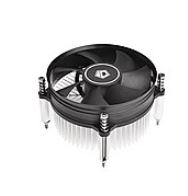
(Illustrative image: ID Cooling DK-15 fan installed on a motherboard)
❓ Frequently Asked Questions (FAQ)
Does the DK-15 fan fit AMD processors?
No, the ID Cooling DK-15 fan is specifically designed for Intel processors and is exclusively compatible with LGA1200/1150/1151/1155/1156 sockets. For AMD processors, we recommend exploring dedicated cooling solutions compatible with sockets like AM4 or AM5, which can be found in our PC Hardware category.
Do I need to purchase thermal paste separately for the DK-15?
Good news! No, you don't. The ID Cooling DK-15 comes with high-quality thermal paste pre-applied to the cooler's base. This saves you the need to purchase paste separately, ensures quick and clean installation, and provides optimal cooling performance from day one.
Is the DK-15 sufficient for cooling powerful Intel CPUs or for overclocking?
The DK-15 is an excellent cooling solution for processors with a Thermal Design Power (TDP) of up to 65W. It is ideal for Intel i3/i5 series processors not intended for heavy overclocking, and for general use, office work, and light gaming. For more powerful processors (like i7/i9) or users planning significant overclocking, we recommend considering more advanced cooling solutions, such as liquid coolers or air coolers with higher TDP, available in a wide range at Braumers.
Don't wait for your CPU to overheat! Upgrade your cooling system today with the **Intel CPU Cooler DK-15** and enjoy stable performance, easy installation, and peace of mind. At Braumers, we are committed to quality and uncompromising service. For more details, consultation, or to place an order, don't hesitate to call. 📞 Call Now 037281198 | Discover more technological solutions and quality products at Energy and Technology Solutions | Need help with installation? Visit our installation guides on our Products page!


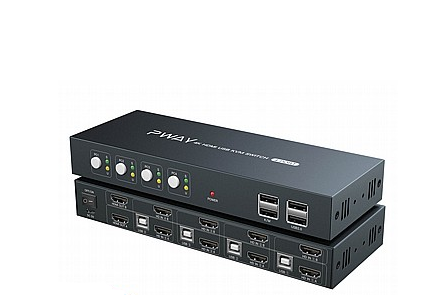 קופסת מיתוג - Pway S7402H2 KVM 2 Display 4 Ports - 4K
1 × ₪1,749.00
קופסת מיתוג - Pway S7402H2 KVM 2 Display 4 Ports - 4K
1 × ₪1,749.00 מתאם איכותי לכרטיס מסך Riser For Mining
1 × ₪65.00
מתאם איכותי לכרטיס מסך Riser For Mining
1 × ₪65.00