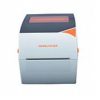
🚀✨ Ready to revolutionize your shipping and packaging process? Look no further! The RONGTA RP411-USE Thermal Printer is here to transform your business operations. This advanced thermal printer offers fast, precise, and high-quality printing without the need for expensive ink or toner, making it an economical and eco-friendly choice for businesses of all sizes. Simplify your workflow, save on costs, and boost efficiency today! For more details and professional consultation, don't hesitate to call: 037281198.
⚡ Product Advantages – RONGTA RP411-USE Printer
- Significant Cost Savings: Direct thermal printing technology eliminates the need for expensive ink or toner, drastically reducing ongoing operating costs.
- Fast and Efficient Printing: With a printing speed of 170mm/s, you can print large quantities of labels and barcodes in a short time, significantly improving work productivity.
- High Print Quality: A 203Dpi resolution ensures sharp, clear text and easily scannable barcodes, crucial for tracking and scanning systems.
- Maximum Versatility: Supports a wide range of paper and label types, including continuous paper, label paper, and black mark paper, with a maximum width of 104mm.
- Diverse Connectivity: USB, Serial, and LAN connections allow for flexibility and easy integration with various systems.
- Durability and Reliability: An exceptionally durable print head (up to 150km) ensures a long lifespan and minimal maintenance.
- Wide Compatibility: Supports Windows XP, 7, 8, and 10 operating systems, with Nicelabel SE editing software included.
⚙️ Detailed Technical Specifications
| Resolution |
203dpi |
| Printing method |
Direct Thermal |
| Printing speed |
170mm/s |
| Max printing width |
104mm (4.09") |
| Max printing Length(label) |
300mm (11.81") |
| Interface |
U、USE、BU、WU、USEB、WUSE (USB, Serial, Lan) |
| Print head (abrasive resistance) |
150km |
| Commands |
TSC |
| Max Media Roll OD |
130mm (5.12" ) |
| Min Media Roll ID |
24mm (others available with external rear bracket) |
| Media Paper Type |
Continuous Paper, Label Paper, Black Mark Paper |
| Media width |
Max 120mm (4.72"), Min: 26.7mm (1.05") |
| Media Gap |
Max.100mm |
| Label Length |
20mm~300mm |
| Accessories |
Power Apdater, Power Cord, USB Cable, CD, Manual. |
| External Rear Bracket (Optional) |
| Editing Software |
Nicelabel SE |
| Driver |
XP、Win7、Win8、Windows 10 |
| Character Set |
GB18030 (Simplified Chinese) |
| Print font |
ASCII Font A: 12*24 |
| ASCII Font B: 9*24 |
| Chinese: 24*24 |
| 1D code |
Code39, Code93, Code128, ITF, ITF14, subsets A, B, C, Codabar, EAN-8, EAN-13,EAN-14,
EAN-128, UPC-A, UPC-E, EAN and UPC 2(5) digits, add-on, MSI, MSIC, PLESSEY, CPOST |
| 2D code |
QR code |
| Graphics processing |
Support BMP/PCX/BAS |
| Temperature |
Working: 0-50°C, Storage: -20~70°C |
| Humidity |
Working : 20%~85% ; Storage: 5%~95% |
| Power supply |
DC24V/2.5A |
| RAM/Flash |
8MB/256KB |
| Dimension |
217*182*172mm |
| Printer weight |
1.6kg |
👥 Who Is This For?
The RONGTA RP411-USE printer is an optimal solution for a wide range of businesses and needs:
- Retail Stores: For printing price tags, product barcodes, and promotions.
- Online Stores (E-commerce): For creating fast and easy shipping labels, and tracking barcodes for packages.
- Warehouses and Logistics: For inventory marking, item tracking, and printing delivery notes.
- Offices and Small Businesses: For document management, archiving, and printing organizational labels.
- Pharmacies and Clinics: For printing labels for medications, medical documents, and inventory management.
🧩 User & Installation Guide
Printer installation is relatively simple, but it is recommended to consult a certified computer technician to ensure full compatibility and optimal performance.
- Physical Connection: Connect the printer to a power source and the USB/LAN cable to your computer.
- Driver Installation: Download the latest drivers from the manufacturer's website (Manufacturer's Website) or use the included CD. Direct link to driver download: rongtatech Driver.
- Software Settings: Install the Nicelabel SE editing software and perform initial setup according to the user manual.
- Loading Labels: Load the label roll according to the manufacturer's instructions. Ensure labels are properly aligned to prevent printing errors.
- Test Print: Perform a test print to ensure everything is working correctly.
For additional support, please refer to the detailed user manual included with the product.
Frequently Asked Questions (FAQ)
Does the printer require ink or toner?
No! The RONGTA RP411-USE printer uses direct thermal printing technology, meaning it prints using heat and does not require any ink or toner. This is a huge advantage that reduces operating and maintenance costs.
What types of labels does the printer support?
The printer supports a wide range of media types, including Continuous Paper, Label Paper, and Black Mark Paper. The maximum media width is 120mm, and the maximum print width is 104mm.
Can the printer be connected to a network (LAN)?
Yes, the printer comes with diverse connectivity options, including USB, Serial, and LAN. The LAN connection allows the printer to be shared among multiple computers on the network, ideal for multi-user work environments.
🛒 Take Action Now!
Don't wait! Upgrade your workflow with the RONGTA RP411-USE printer and join thousands of satisfied businesses. This printer provides a reliable, fast, and economical solution for all your label and barcode printing needs. At Braumers, we are committed to providing you with the most advanced equipment to upgrade your business.
📞 For consultation and orders, call now: 037281198
Visit our website for more information on Energy and Technology Solutions or contact us directly through our Contact Us page.


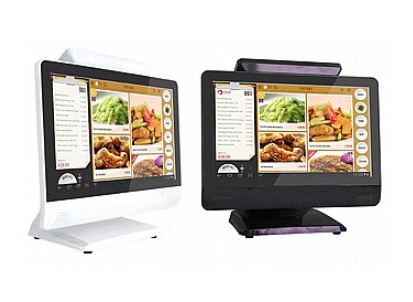 מחשב קופה איכותי בצבע לבן
1 × ₪2,590.00
מחשב קופה איכותי בצבע לבן
1 × ₪2,590.00 מחשב קופה איכותי לאספרסו בר בצבע שחור
1 × ₪2,590.00
מחשב קופה איכותי לאספרסו בר בצבע שחור
1 × ₪2,590.00 קורא כרטיסי אשראי איכותי לעסק MSR90.v2 USB
1 × ₪189.00
קורא כרטיסי אשראי איכותי לעסק MSR90.v2 USB
1 × ₪189.00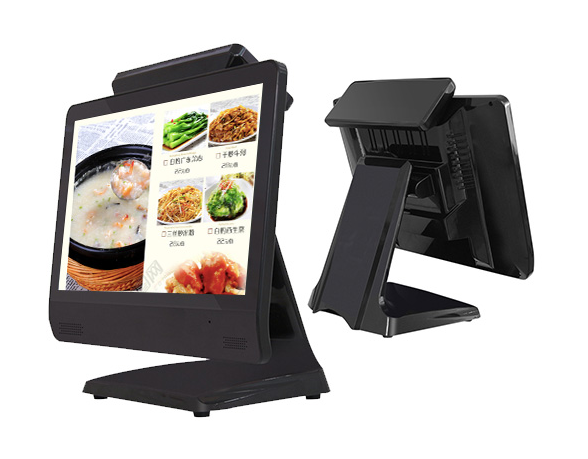 מחשב קופה איכותי לסופרמרקט בצבע שחור
1 × ₪2,590.00
מחשב קופה איכותי לסופרמרקט בצבע שחור
1 × ₪2,590.00 מחשב קופה איכותי לבר בצבע שחור
1 × ₪2,590.00
מחשב קופה איכותי לבר בצבע שחור
1 × ₪2,590.00